
Image galleries are the single most powerful conversion tool in any listing. They capture attention in the search results, communicate what words cannot, pre-qualify buyers before they make contact, and lift perceived value in ways that directly affect sale price and time on market. If you manage listings and want to act right now, do three things: set your strongest exterior or hero shot as the cover image, trim your gallery to a purposeful count (aim for the mid-20s for most residential listings), and add a virtual tour link if one exists.
- Read the evidence section if you need to build a business case for photography investment.
- Read the types and sequencing sections if you are briefing a photographer or editing an existing gallery.
- Read the platform constraints section if you are working within Australian portal limits and need practical workarounds.
Key takeaways
Image galleries are the primary conversion mechanism in any listing, and the quality of the cover image is the single highest-leverage decision a seller or venue owner can make.
| Point | Details |
|---|---|
| Cover image drives click-through | Set your brightest, most appealing exterior or hero shot as the thumbnail before anything else. |
| Mid-20s photo count is the sweet spot | Most residential listings perform best with 20–28 images; venue listings work well at 25–35. |
| Professional photography pays back | On most properties above $500,000, the cost of professional photography is small relative to the measurable price and time-on-market benefits. |
| Portal caps require curation strategy | Australian portals limit visible images; prioritise your strongest shots and host the full gallery on a dedicated microsite. |
| Adelaideweddingvenues supports venue gallery performance | The directory’s featured listings and venue profile optimisation checklist help South Australian venue owners present galleries that convert enquiries. |
What the data shows about galleries and buyer behaviour in Australia
The role of image galleries in listings goes well beyond aesthetics. Realestate.com.au’s buyer behaviour research frames galleries as part of a digital experience that serious buyers use to build the confidence needed to transact. Casual browsers scroll; committed buyers consume every image, return to the gallery multiple times, and use virtual tours to reach a decision threshold before they ever contact an agent.
A 2023 peer-reviewed synthesis-576-584) compiled results across multiple studies and found consistent, measurable benefits from professional photography and virtual tours on views, engagement, and sale-price metrics, including double-digit gains in views and meaningful price uplifts. UploadIt’s Australian market analysis reports similar double-digit view increases and city-level sale-price differences when professional media and video are used.
| Metric | Reported effect | Source |
|---|---|---|
| Online views | Double-digit uplift with professional photography | UploadIt / 2023 synthesis |
| Buyer engagement | Serious buyers consume far more visual content than casual browsers | Realestate.com.au |
| Sale price | Measurable price uplift in city markets with professional media | UploadIt |
| Time on market | Reduced when rich visual content is present | 2023 peer-reviewed synthesis |
| Click-through rate | First image dominates CTR; bright exterior hero reliably increases clicks | Lens Collective |
The single most persuasive number for vendor conversations: professional photography and video consistently produce double-digit increases in online views, according to both the 2023 peer-reviewed synthesis and UploadIt’s Australian case examples.
What these figures mean in practice is straightforward. More views produce more enquiries. More enquiries compress time on market. A shorter campaign reduces vendor stress and holding costs. The gallery is not a finishing touch; it is the mechanism that drives every downstream metric.
- Better images increase engagement metrics (clicks, saves), which in turn improves visibility on popularity-based portal sorts, even when portals do not directly rank listings by photo count. See user engagement for venue websites for a deeper look at how these signals compound.
- Serious buyers view far more images than casual browsers, and portal data suggests eventual buyers rely on virtual tours to reach transaction confidence.
Types of images every listing should include
Each image type in a gallery answers a specific buyer question. Knowing which question each shot addresses helps you plan shoots with purpose and cut filler images that add length without adding information.
Core image types and what they answer:
- Hero/exterior shot: “Is this worth clicking on?” This is the thumbnail. It drives click-through rate more than any other image. A bright, well-composed exterior or entrance shot set as the cover image is the single highest-leverage decision in gallery management, according to Lens Collective’s analysis.
- Living and entertaining spaces: “Can I picture myself here?” Wide-angle, well-lit shots of living rooms and open-plan areas answer the lifestyle question buyers carry into every search.
- Kitchen: “Is this functional and modern?” Kitchens are a primary decision driver. Show the full run of cabinetry, benchtops, and appliances in a single frame where possible.
- Bedrooms: “Will everyone fit comfortably?” Include the master with natural light and at least one secondary bedroom to confirm scale.
- Bathrooms: “What is the finish quality?” A single well-lit bathroom shot communicates renovation status faster than any written description.
- Outdoor and garden: “What does the lifestyle look like beyond the walls?” Alfresco areas, pools, and garden outlooks are strong emotional triggers, particularly in South Australian summers.
- Detail and amenity shots: “What sets this apart?” A fireplace, wine cellar, custom joinery, or heritage ceiling detail earns its own frame when it is a genuine point of difference.
- Aerial/drone: “How does this sit in its surroundings?” Particularly valuable for acreage, waterfront, and large venue properties.
- Floorplan: “Does the layout work for us?” Buyers use floorplans to mentally walk through a property before an inspection. Including one reduces wasted inspections from buyers who discover a deal-breaking layout issue on arrival.
For venue and event listings (weddings, functions), the sequence shifts slightly. Photography shapes venue choice in ways that differ from residential sales: couples are buying an experience and an atmosphere, not just a floor plan.
- Hero exterior or entrance (sets the emotional tone)
- Main ceremony space (the primary decision image for weddings)
- Reception room dressed for an event (shows capacity and atmosphere together)
- Catering and kitchen facilities (relevant to event planners reviewing festive meal offerings and on-site catering options)
- Bridal suite or preparation room
- Outdoor ceremony option or garden
- Detail shots: table settings, lighting, floral arrangements
- Aerial overview of the property
Pro Tip: When you have two shots from the same angle of the same room, keep the one with better light and delete the other. A redundant angle wastes a slot that could show an amenity buyers have not yet seen.
How many photos to include and how to sequence them
Photo count has a measurable sweet spot. Edin Studios’ analysis identifies the mid-20s as the performance range for most residential listings. Too few images signals either a poor property or a lazy listing; too many creates attention fatigue and dilutes the impact of your strongest shots.
Count guidance by listing type:
- Standard residential (3–4 bedrooms): 20–28 images covers every room and key feature without repetition.
- Luxury or large properties: 30–40 images is reasonable when the property genuinely has more to show (multiple living zones, guest accommodation, grounds).
- Apartments and studios: 12–18 images is usually sufficient; more risks padding with angles that add nothing.
- Venue and event spaces: 25–35 images, weighted toward atmosphere and dressed-event shots rather than empty-room documentation.
- Holiday rentals: 30+ images perform well because remote buyers need to substitute a physical inspection with visual confidence.
When portal caps force you to choose, prioritise in this order: hero exterior, primary living space, kitchen, master bedroom, outdoor area, floorplan, and then remaining rooms in order of buyer interest.
Sequencing template (residential walk-through logic):
- Hero exterior (thumbnail/cover)
- Entry or foyer
- Main living or open-plan area
- Kitchen
- Dining area (if separate)
- Master bedroom
- Master ensuite
- Secondary bedrooms
- Main bathroom
- Outdoor entertaining or garden
- Pool or additional features
- Street view or neighbourhood context
- Floorplan
This sequence mirrors how a buyer physically walks through a property, which reduces cognitive friction and keeps them in the gallery longer.
Composition, lighting, staging and storytelling techniques
The difference between a gallery that converts and one that does not is rarely the property itself. It is almost always the quality of the images.
Practical composition rules:
- Shoot from a corner or doorway to show the full depth of a room, not from the centre of a wall.
- Keep the camera at approximately 1.2–1.5 metres from the floor. Lower angles make ceilings feel higher; higher angles make rooms feel smaller.
- Use a wide-angle lens (typically 16–24mm full-frame equivalent) but avoid ultra-wide distortion that bows walls.
- Align horizontal lines (benchtops, windowsills, horizon) with the frame. A tilted horizon reads as careless.
- Shoot towards natural light sources, not away from them, to avoid silhouetted interiors.
- Remove clutter from every surface before shooting. Personal items, power cords, and bin bags are the most common gallery-killers.
Staging choices and perceived value:
Staging is not about deception; it is about helping buyers imagine the lifestyle. Fresh flowers on a kitchen bench, a set dining table, and neatly folded towels in a bathroom cost almost nothing but consistently lift the emotional register of a gallery. For venue listings, a dressed table with linen, centrepieces, and ambient lighting communicates capacity and quality in a single frame far more effectively than an empty room with chairs stacked against the wall.
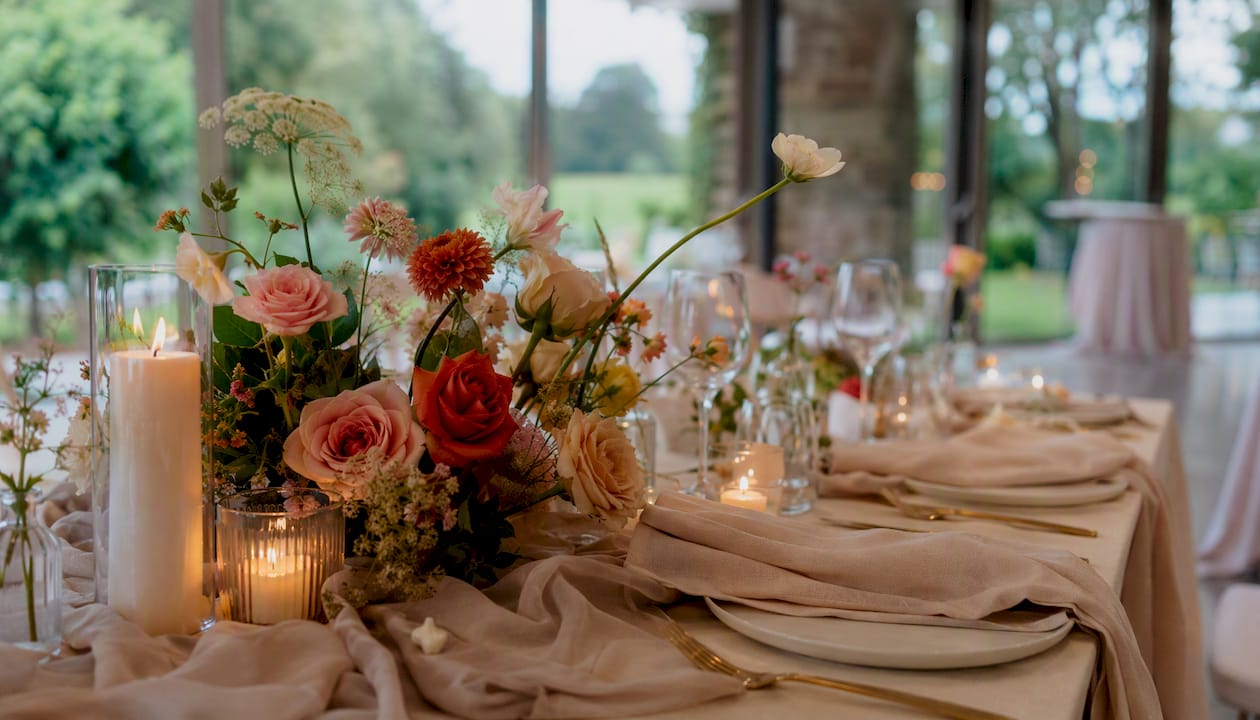
Pro Tip: For low-budget shoots, the single biggest quality improvement is timing. Shoot interiors in the morning when natural light is soft and even, and shoot exteriors in the late afternoon for warm, flattering light. No equipment upgrade matches good timing.
File formats, file sizes, captions and mobile UX
Technical optimisation is where many otherwise strong galleries lose performance. A slow-loading gallery on mobile costs you the buyer before they see your best shot.
File format and size targets:
- Use JPEG for photographs (best compression-to-quality ratio for photographic images).
- Use WebP where your CMS or portal supports it; WebP files are typically 25–35% smaller than equivalent JPEGs at the same visual quality.
- Target file sizes of 150–300 KB per image for web display. Anything above 500 KB without lazy loading will noticeably slow page load on mobile connections.
- Export at 1920px on the longest edge for desktop display; portals will generate their own thumbnails, so uploading larger originals is rarely beneficial and increases load time.
SEO and accessibility:
- Write alt text that describes the image content specifically: “Main living room with timber floors and north-facing windows” rather than “living room photo.”
- Use captions where the platform supports them. Captions are read more often than body copy and are indexed by search engines.
- For venue listings, alt text should include the venue name and location: “Garden ceremony space at [Venue Name], Adelaide Hills.”
- Add structured data (schema.org ImageObject) to dedicated property or venue pages to improve image indexing.
Performance checklist:
- Compress all images before upload using a tool such as Squoosh, TinyPNG, or Adobe Lightroom’s export settings.
- Enable lazy loading so below-the-fold images load only when the user scrolls to them.
- Use a CDN (content delivery network) for any images hosted on your own website or microsite.
- Test mobile load speed using Google PageSpeed Insights before publishing.
- Check that the gallery renders correctly on both iOS Safari and Android Chrome.
Pro Tip: Pair your image gallery with optimised venue descriptions — search engines index text and image metadata together, and a well-written description reinforces the keywords your alt text carries.
When to add virtual tours, 3D models, video and floorplans
Advanced visual assets extend what a static gallery can do, but they are not always worth the additional cost. The decision depends on property type, price tier, and buyer geography.
What each asset delivers:
- Virtual tours (360° photography): Allow buyers to navigate a space at their own pace. Particularly effective for apartments, where spatial relationships between rooms are hard to convey in stills.
- Matterport/3D models: Produce a dollhouse view and a measurable floor area. Realestate.com.au’s buyer research confirms that serious buyers use 3D content to build transaction confidence, making this format most valuable for high-involvement purchases.
- Video walkthroughs: Communicate atmosphere and flow better than any static format. Effective for luxury properties, large venues, and listings targeting interstate or international buyers.
- Floorplans: The most consistently underused asset in Australian listings. Buyers use them to pre-qualify layout suitability before an inspection, which reduces wasted appointments for both parties.
Distribution and portal constraints:
Most Australian portals do not allow clickable external links within listing descriptions, which means you cannot embed a Matterport tour directly in a portal listing. The practical workarounds are covered in the next section, but the core principle is: host tours on your own domain or a dedicated property microsite, then surface the URL in print materials and social media.
ROI cues by listing type:
- Luxury residential (above $1.5M): video walkthrough and 3D model are expected by buyers at this price point and their absence is a negative signal.
- Venue and event spaces: a virtual tour of the dressed ceremony and reception space is one of the highest-return assets available, because couples frequently make shortlists without visiting in person.
- Remote or rural properties: drone video and virtual tours substitute for the physical inspection that distance prevents.
- Standard residential under $800K: a floorplan and strong stills are usually sufficient; a virtual tour is a bonus rather than a necessity.
Australian portal constraints and practical workarounds
Australian property portals impose image caps and restrict external links in listing descriptions. Understanding these limits helps you plan galleries that work within the rules while still serving serious buyers.
Common constraints:
- Image caps on major Australian portals typically limit the number of photos displayed in the standard listing view, meaning images beyond the cap may not be visible to all buyers without additional scrolling or a paid upgrade.
- External hyperlinks are generally not permitted in portal listing descriptions, which prevents direct linking to virtual tours, microsites, or extended galleries.
- Image order is usually controllable by the agent or vendor, but some portals lock the thumbnail to the first uploaded image, making upload sequence critical.
The Inverloch Realty case study documents how one Australian agency responded to portal caps by building dedicated property microsites with uncapped galleries and embedded 3D tours. The result was deeper engagement from serious buyers and better conversion from enquiry to inspection.
Practical workarounds:
- Build a dedicated property or venue page on your own website with the full, uncapped gallery and any virtual tour or video content.
- Include the microsite URL in the portal listing’s address field or in the agent contact details where permitted.
- Use QR codes on printed brochures, signboards, and open-for-inspection materials to direct buyers to the full gallery.
- Host virtual tours on platforms such as Matterport or Kuula and share the link via social media and email campaigns, bypassing portal restrictions entirely.
- For venue listings, creative exposure strategies in South Australia can extend gallery reach well beyond portal limits.
Pro Tip: Treat the portal gallery as your shop window and the dedicated microsite as the full showroom. Curate the portal to your 20–25 strongest images, then let the microsite do the heavy lifting for serious buyers who want more.
Typical costs, measurable ROI and when to hire a professional
Photography is a marketing cost, and like all marketing costs, it should be evaluated against the return it generates. LocalAgentFinder’s Australian cost guide recommends professional photography as a high-return investment across most property tiers above entry level.
Representative cost ranges in Australian markets:
- Standard residential package (stills only, 20–30 images): approximately $200–$400 in most capital city markets.
- Premium package (stills + floorplan + twilight shot): approximately $400–$700.
- Luxury or large property package (stills + drone + video walkthrough + 3D tour): approximately $800–$1,500+.
- Venue/event space package (dressed shoot + drone + virtual tour): costs vary widely but typically sit in the $600–$1,200 range for a full production day.
FletchersLocal’s Melbourne market guide shows how photography, drone, and 3D tours are commonly itemised in local sales authorities, giving sellers a clear picture of what each component costs separately.
Even a conservative outcome well below that figure makes the investment straightforward to justify.
Decision checklist: when to hire a professional:
- The property is priced above $500,000 — professional photography is expected and its absence is noticed.
- The listing is for a venue, event space, or holiday rental where atmosphere drives the decision.
- Previous listings with phone photography underperformed on views or enquiries.
- The property has strong features (outlook, renovation, heritage detail) that phone cameras will not capture accurately.
- The campaign budget includes any other paid marketing (portal upgrades, social ads) — photography should come first.
When phone photography plus editing can suffice: entry-level rentals, storage units, and listings where the price point makes professional photography cost-prohibitive relative to the likely return.
Common gallery mistakes that reduce engagement
Most underperforming galleries share the same small set of errors. Correcting them rarely requires a reshoot; often it is a matter of reordering, trimming, or replacing a single image.
The most frequent errors and their corrections:
- Wrong cover image: A dark interior, a cluttered room, or a photo of a letterbox set as the thumbnail will suppress click-through regardless of how good the rest of the gallery is. Fix: always set the brightest, most appealing exterior or hero interior as the first image.
- Too many filler photos: Shots of the laundry, the meter box, or a third angle of the same hallway dilute the gallery. Fix: apply a one-purpose-per-image rule and cut anything that does not answer a buyer question.
- Inconsistent editing: Some images warm-toned, some cool, some over-brightened. Fix: process the full set in a single editing pass or ask the photographer to deliver a consistent colour grade.
- Missing key angles: No kitchen shot, no outdoor area, no floorplan. Buyers notice absences and interpret them as problems. Fix: use the image type checklist above to audit every gallery before publishing.
- Portrait-orientation images mixed with landscape: Mixing orientations creates a jarring gallery experience on desktop. Fix: shoot everything in landscape unless the platform is specifically designed for portrait (Instagram, some mobile apps).
- Low resolution or compressed images: Pixelated or blurry images signal low effort and reduce perceived property value. Fix: export at 1920px minimum and check display quality on both desktop and mobile before going live.
Red-flag indicators that a gallery is underperforming:
- Click-through rate is low compared to similar listings at the same price point.
- Time spent on the listing page is short (buyers are not scrolling through images).
- Enquiry volume is low despite adequate portal visibility.
Each of these signals points back to the gallery as the likely cause before any other marketing variable.
A publish-ready gallery checklist before you go live
Work through this checklist before publishing any listing. It takes under 15 minutes and catches the errors that cost enquiries.
Cover image and gallery curation:
- Set the hero exterior or strongest interior as the cover/thumbnail image.
- Confirm the gallery follows the walk-through sequence (exterior → entry → living → kitchen → bedrooms → bathrooms → outdoor → floorplan).
- Remove all filler images (duplicate angles, utility rooms with no visual interest, blurry shots).
- Confirm total image count sits within the recommended range for the property type.
- Check that all key image types are present: exterior, living, kitchen, master bedroom, bathroom, outdoor, floorplan.
Technical checks:
- All images are compressed to under 300 KB per file.
- Images are exported at 1920px on the longest edge.
- Alt text is written for every image on your own website or microsite.
- Captions are added where the platform supports them.
- Gallery displays correctly on mobile (check iOS Safari and Android Chrome).
Optional advanced assets:
- [ ] Virtual tour link is accessible and loads correctly.
- [ ] Floorplan is included as the final image or as a separate document.
- [ ] Drone/aerial images are included for properties where scale or surroundings are a selling point.
- [ ] Video walkthrough is hosted and the URL is included in print and social materials.
Final portal check:
- Confirm image order is set correctly in the portal upload interface.
- Verify the cover image displays as intended in the search results thumbnail.
- Check that no images exceed the portal’s file size limit (which can cause silent upload failures).
Australian market notes and why these findings matter for venue and property sellers
The evidence base for image gallery performance is strongest in residential real estate, but the principles apply directly to venue and event space listings. Realestate.com.au’s buyer behaviour research is the most relevant Australian-specific source: it documents how serious buyers use rich visual content (photos, video, 3D) to build the confidence needed to transact, and it frames galleries as central to the decision pathway, not peripheral to it.
The Inverloch Realty case study is the clearest Australian example of portal constraints shaping listing strategy. It shows that agencies willing to build dedicated microsites with uncapped galleries and embedded tours achieve deeper engagement from the buyers most likely to convert.
Key Australia-specific considerations for venue and property sellers:
- Portal image caps mean that gallery curation (choosing the right 20–25 images) matters more than gallery size.
- Indirect ranking effects on popularity-based portal sorts mean that better images produce more clicks and saves, which in turn improves listing visibility over time.
- Adelaideweddingvenues maintains a directory of South Australian venues with input from photographers who understand local venue presentation standards, making it a practical resource for venue owners assessing their own gallery quality.
- Venue photography tips from working photographers offer a practitioner-level checklist that complements the technical guidance above.
A practitioner’s perspective on gallery preparation
The most consistent mistake venue owners make is photographing their space empty. An empty room with chairs stacked against the wall tells a couple almost nothing about whether their wedding will look beautiful there. A dressed table, soft lighting, and a few well-placed floral arrangements answer the question before it is asked.
The second mistake is treating the cover image as an afterthought. The thumbnail is the only image most buyers see before deciding whether to click. Spending five minutes choosing the right cover image, and checking how it renders as a small square on a mobile screen, is the highest-return five minutes in the entire listing process. How photographers shape venue discovery explores this in more depth, including how local photographers approach the hero shot for South Australian venues.

Adelaideweddingvenues helps venue owners present their best gallery
Venue owners across Adelaide and South Australia have a direct path to better listing performance through Adelaideweddingvenues. The directory is built and maintained by wedding industry professionals with deep knowledge of local venues, which means a featured listing is not just more visible — it is presented in a context that serious couples and event planners are already using to make decisions.
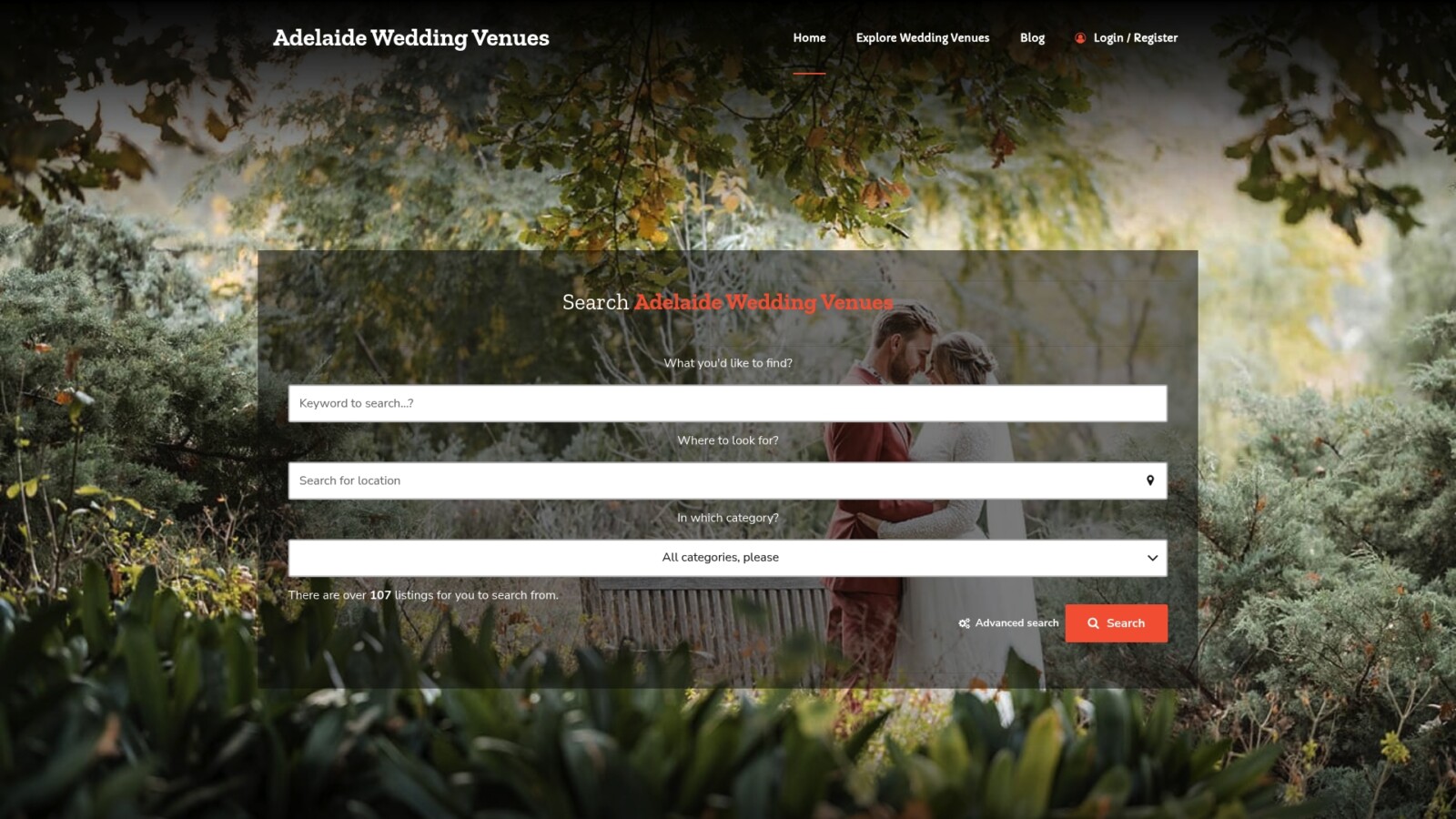
A featured listing on Adelaideweddingvenues gives venue owners a dedicated profile with space for a curated gallery, venue details, capacity, amenities, and direct enquiry. The platform’s venue profile optimisation checklist walks owners through every element of a high-performing listing, from cover image selection to description copy. For venues that want to go further, the venue listing process explainer covers how the directory works and what a paid featured listing includes. Start by submitting or upgrading your venue profile at Adelaideweddingvenues today.
Sources
- Finding the one: what 9 in 10 sales tells us about how buyers behave and what it means for your listings
- How Many Photos Does a Real Estate Listing Need? (2026 Data) | Edin Studios
- The visual edge: professional real estate photography and video are non-negotiables in 2026 – UploadIt
FAQ
What is the purpose of a photo gallery in a listing?
A photo gallery captures attention in search results, communicates property features that written descriptions cannot convey, and pre-qualifies buyers before they make contact.
How many photos should a real estate listing include?
Luxury properties and venue listings can justify 30–40 images when the property genuinely has more to show; apartments typically need 12–18.
What is a listing image?
A listing image is any photograph, floorplan, or visual asset published as part of a property or venue listing on a portal or directory. The cover image (thumbnail) is the most critical because it determines whether a buyer clicks through to see the rest.
What does “image gallery” mean in the context of online listings?
An image gallery is the full set of visual assets attached to a listing, displayed as a browsable collection. In real estate and venue listings, it typically includes exterior shots, interior rooms, detail images, floorplans, and sometimes virtual tours or video, all sequenced to guide the buyer through the property.
