
For most weddings, a wedding-website builder with built-in RSVP handles everything you need. For complex multi-day weekends with several events, choose a standalone RSVP platform with conditional logic. For a tiny budget or a simple gathering, Google Forms will genuinely do the job.
Quick picks:
- Multi-event wedding weekends: Joy (WithJoy), for household grouping and per-event visibility.
- Website plus RSVP in one: Zola, if you want registry, website and guest replies together.
- Free wedding basics: The Knot, ad-supported but genuinely free.
- Large or ticketed events: RSVPify or Eventbrite, for check-in and rigorous form logic.
- Casual parties: Partiful, unlimited free guests, no fuss.
- Next step: import your guest list as a CSV before you commit, and check the export columns match what your caterer needs.
Key takeaways
The right RSVP tool depends on guest-list complexity: multi-event weddings need conditional logic and household controls, while simple events run fine on free, basic tools.
| Point | Details |
|---|---|
| Match complexity to tool | Multi-event weekends need Joy or Zola; simple parties work fine on Partiful or Google Forms. |
| Avoid forced accounts | Account-free, browser-based RSVP flows get higher completion rates than app-only options. |
| Check CSV export columns | Confirm named columns for meal choice and dietary flags before committing to a platform. |
| Use SMS and QR codes together | SMS delivery lifts immediate response rates; QR codes on printed invites bridge older guests. |
| Pair RSVPs with venue planning | Adelaide Wedding Venues offers venue filters and planning guides that pair naturally with RSVP setup once your platform is chosen. |
Best online RSVP tools compared at a glance
Every couple asks the same question eventually: do I need a dedicated RSVP tool, or will a wedding website builder cover it? Paperlust’s research into RSVP platforms splits the market into three camps: wedding website builders, standalone RSVP tools, and registry-integrated platforms. Which camp you need depends almost entirely on guest-list complexity, not on how big your budget is.
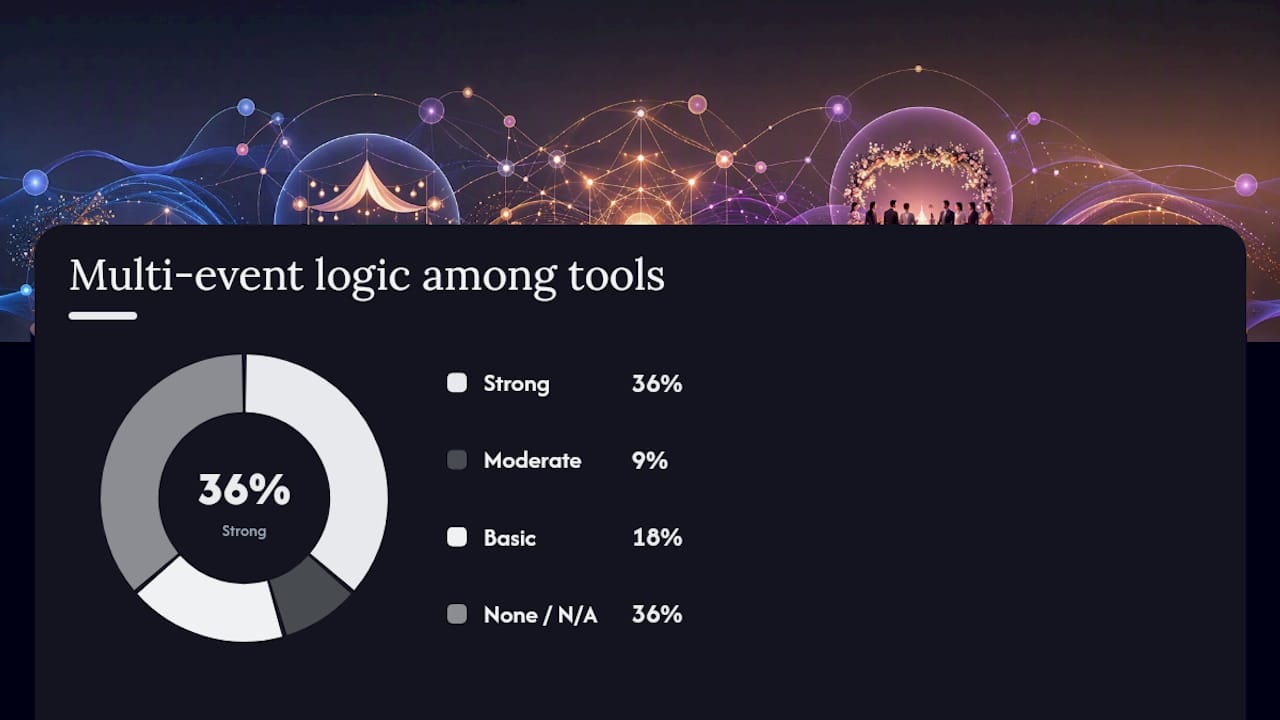
| Tool | Best for | Pricing / free tier | Multi-event logic | Household controls |
|---|---|---|---|---|
| Adelaide Wedding Venues | Venue discovery plus RSVP-adjacent planning resources | Free directory access | Not applicable (directory, not RSVP software) | Not applicable |
| Zola | Website, registry and RSVP in one | Free core features | Strong | Yes |
| Joy (WithJoy) | Multi-event wedding weekends | Free core features | Strong | Yes |
| The Knot | Free bundled website and RSVP | Free, ad-supported | Basic | Limited |
| RSVPify | Large or ticketed events | Free tier capped; paid tiers for scale | Strong | Yes |
| They Said Yes | QR invites and live dashboards | Free-to-start | Moderate | Yes |
| Jotform | Custom form logic | Free tier capped by submissions | Strong (via form logic) | Manual setup |
| Partiful | Casual parties | Free, unlimited guests | None needed | No |
| Paperless Post | Designer digital invitations | Free tier limited; pay per recipient | Basic | Limited |
| Eventbrite | Public and ticketed events | Free for free events; fees on paid tickets | None needed | No |
| Google Forms / SurveyMonkey | Simple, small guest lists | Free | None | Manual |
Where can you avoid fees altogether? Partiful and Google Forms cost nothing regardless of guest count. Where do free tiers get capped fast? RSVPify and Jotform both cap free submissions, and Paperless Post charges per recipient once you’re past a small allowance.
Pro Tip: If your wedding weekend has a welcome drinks, ceremony, and reception with different guest lists for each, guest-list complexity is your deciding factor. Skip anything without conditional logic, or you’ll end up managing three separate spreadsheets by hand.
What does each recommended RSVP tool actually do?
Adelaide Wedding Venues isn’t an RSVP tool. It’s a searchable directory of Adelaide and South Australian venues, built with input from local wedding photographers who know the spaces firsthand. Couples use it to shortlist venues and access planning guides, then pair that with whichever RSVP platform suits their guest list. If venue coordination and RSVP logistics are both on your to-do list, starting with venue discovery makes the rest of the planning easier to sequence.
Zola bundles a wedding website, registry, and RSVP collection into one free platform. Its RSVP logic handles multi-event weekends reasonably well, including seating-chart integration, which matters if you’re exporting guest data straight to a venue’s floor plan.
Joy (WithJoy) leans hardest into complex weekends. Its smart RSVP system groups households automatically and lets you show or hide events based on who’s invited to what. Guests see only what applies to them, which cuts down on confused replies about events they weren’t invited to. A recent product overview from Joy notes that most wedding website builders now bundle RSVP collection for free, but multi-event conditional logic is what separates the builders from the basic tools.

The Knot offers a free website and RSVP tool funded by its vendor marketplace. It’s genuinely free, with basic custom questions, but doesn’t match Joy or Zola on multi-event handling.
RSVPify is built for scale. Its check-in suite and conditional-logic forms suit large or ticketed events, though free tiers are capped, and you’ll likely need a paid tier once your guest count climbs.
They Said Yes focuses on QR code invitations, SMS and email delivery, and a live dashboard. Its 2026 guide to managing RSVPs recommends timed reminders and checking your CSV export structure before committing, advice worth following regardless of which platform you pick.
Jotform isn’t wedding-specific, but its conditional-field logic rivals purpose-built platforms for hosts who want full control over question flow.
Partiful skips the structure entirely. It’s text-first, social, and free for unlimited guests, ideal for engagement parties or casual gatherings where you don’t need meal tracking or seating data.
Paperless Post trades structure for design. Its invitations look genuinely premium, but you pay per recipient once you exceed the free allowance.
Eventbrite handles ticketing, payments, and on-the-day scanning, built for public events rather than intimate weddings.
Google Forms and SurveyMonkey cost nothing and work fine for small, tech-comfortable guest lists. Comparative research from Pix Wedding found that once you cross roughly 50 guests, a dedicated RSVP app that integrates seating and exports usually earns back its cost through admin time saved.
Fotify, covered in its 2026 roundup of RSVP apps, and AllSeated, which pairs RSVP data with seating diagrams, round out the field for couples who want tighter integration between guest replies and floor planning.
How do you choose the right RSVP tool for your event?
Work through this in order:
- Count your guests. Under 50 and tech-comfortable, Google Forms or Partiful will cover you. Over 50, a dedicated platform earns its keep.
- Check for multi-event needs. Welcome drinks, ceremony, reception as separate lists? You need conditional logic. Joy and Zola both handle this well.
- Decide on plus-one and household rules. Some tools group households automatically; others need manual tagging.
- Test the CSV export. Import your existing spreadsheet first, and confirm the export gives you named columns for meal choice and dietary flags, not a single notes field you’ll have to sort manually.
- Confirm on-the-day check-in needs. Ticketed or large events need QR scanning; small weddings usually don’t.
Before committing, ask any platform: does replying require guests to create an account? Can you export named columns rather than free-text notes? Is SMS delivery included, or email-only?
Watch for forced account creation (it kills completion rates), hidden per-guest fees once you cross a free-tier threshold, and export formats that dump everything into one messy notes column.
Setting up RSVPs: a checklist that actually works
- Finalise your guest list and plan it properly before importing anywhere.
- Import via CSV with column mapping, not manual entry, to avoid duplicate rows.
- Set your RSVP deadline six to eight weeks before the event.
- Send invites with both a shareable link and a QR code for printed invitations.
- Schedule reminders at the two-week and one-week marks.
- Add custom questions for meal choice and accessibility needs early, not as an afterthought.
- Export final numbers to your caterer and venue at least one week out.
Pro Tip: A printed invite with a QR code linking to an account-free RSVP page balances tradition with convenience, and tends to lift completion among guests who still prefer paper over apps.
How do mobile apps handle RSVPs for hosts and guests?
Most guests now reply from their phone, not a desktop. The platforms that perform best here skip app downloads entirely and let guests respond through a mobile browser, no account required. That single design choice matters more than any feature list: platforms requiring account creation before reply consistently see higher abandonment than account-free flows.
For hosts, the mobile experience varies more. Joy and Zola both offer companion apps for tracking replies on the go, useful when you’re fielding questions from family at short notice. RSVPify and Eventbrite lean toward desktop dashboards, which suit hosts managing larger, more formal guest counts from a laptop rather than a phone.
The practical takeaway: if your guest list includes older relatives less comfortable with apps, prioritise a platform where the guest-facing side works cleanly in a browser, with a QR code as the entry point rather than an app store link.
A planner’s note on household grouping
Household grouping saves genuine admin time. Grouping “the Smith family” as one RSVP, rather than four separate replies, cuts tracking errors substantially. Confirm this feature before you commit to a platform.
Planning venue logistics alongside your RSVPs
Choosing an RSVP tool solves only half the puzzle. The other half is knowing where your event actually happens, and that’s where Adelaideweddingvenues fits differently to every platform compared above. Rather than managing guest replies, it helps you find the venue those guests will show up to.
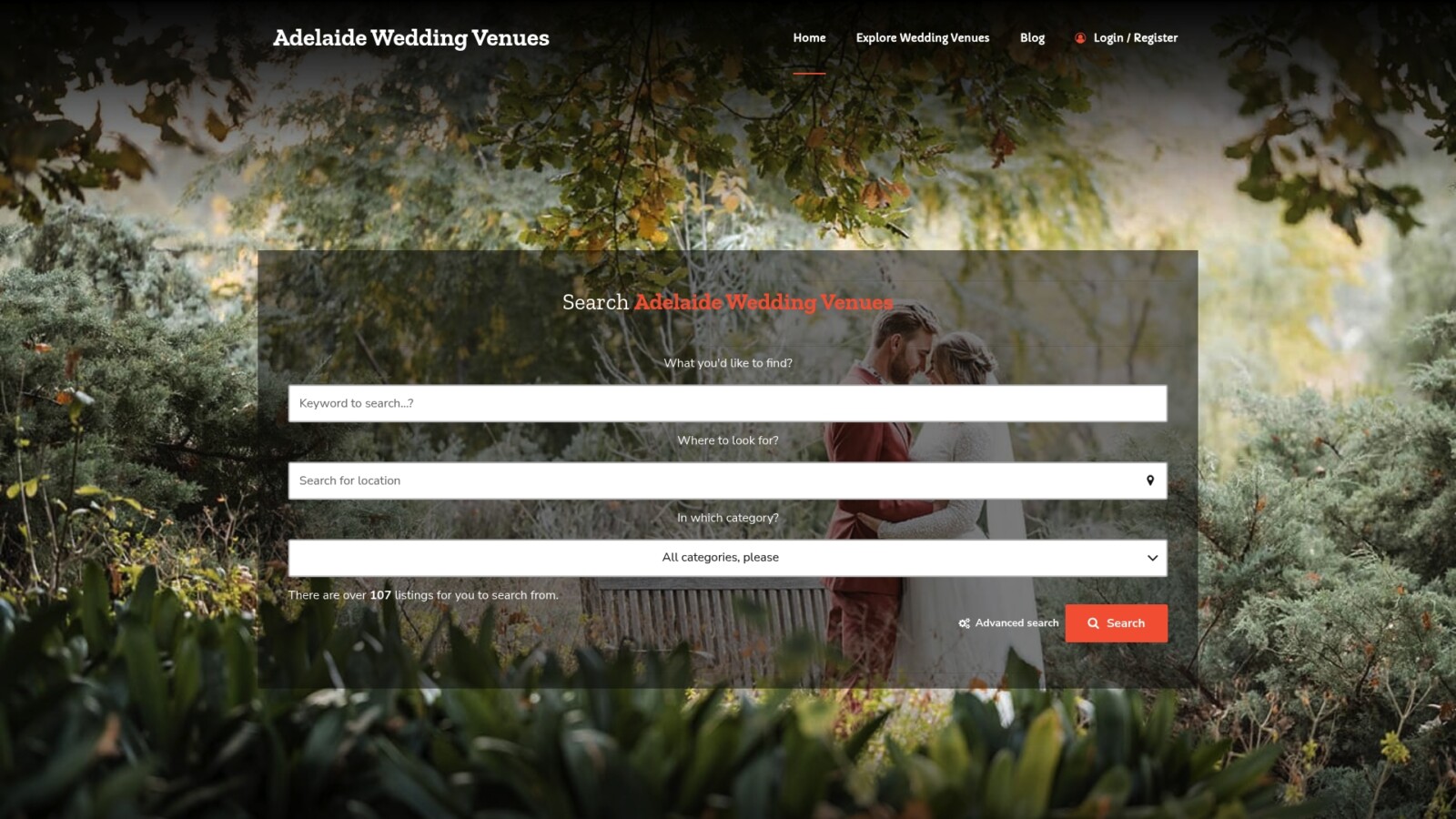
If you’re still weighing up ceremony and reception locations while your RSVP deadline looms, Adelaideweddingvenues’ searchable directory lets you filter Adelaide and South Australian venues by capacity, style, and budget in minutes rather than days. It’s maintained by wedding industry professionals, including photographers who know these spaces firsthand, so the listings reflect genuine local knowledge rather than generic marketing copy. Once your guest count is close to final from whichever RSVP tool you’ve chosen, browse how to choose your ideal wedding venue to match your numbers against real spaces. Start your venue search on the Adelaide Wedding Venues directory today and lock in a location before you finalise your invitations.
Sources
- How to Manage Wedding RSVPs Online: The 2026 Guide | They Said Yes Blog
- Wedding RSVP: App vs Google Form vs Paper vs Website (2026 Comparison) | Pix Wedding
FAQ
Which online RSVP service is best?
It depends on your guest-list complexity. Joy (WithJoy) suits multi-event wedding weekends best, Zola works well for couples wanting website and RSVP together, and Partiful or Google Forms suit simple events with small guest counts.
What is the best website to RSVP for an online event?
For ticketed or public events, Eventbrite and RSVPify both handle registration, payments, and check-in well. For informal gatherings, Partiful is a free, text-first option built for exactly that.
Is there a free RSVP app?
Yes. Partiful offers unlimited free guests, The Knot bundles a free ad-supported website and RSVP, and Google Forms costs nothing regardless of guest count.
How do I make an RSVP online for free?
Google Forms, Partiful, and The Knot all let you build and send an RSVP form at no cost. Import your guest list, set a deadline, and share the link or a QR code with invitees.
Do guests need to create an account to RSVP?
Not with most modern platforms, and you should avoid any that require it. Account-free, browser-based replies get higher completion rates than tools that force sign-up first.
