
TL;DR:
- Effective booking management relies on a system with four essential components: a user interface, dashboard, automation, and payment integration. Proper verification of data points and maintaining detailed records are key to avoiding errors and disputes. Automating workflows and analyzing booking data improve efficiency and revenue for venue operators.
Booking management is the process of organising, tracking, and confirming reservations to keep events and venues running without errors or disputes. For event planners, venue operators, and engaged couples, poor booking practices cause double bookings, payment disputes, and last-minute cancellations that are entirely avoidable. A solid booking management guide covers four core components: a customer-facing interface, an admin dashboard, automated notifications, and integrated payment processing. Get these right and the rest of the process follows naturally.
What are the essential components of a booking management system?
Effective booking systems include four non-negotiable elements: a customer-facing booking interface, an admin dashboard, automated notifications, and integrated payment processing. Each element serves a distinct purpose. Together, they form the backbone of any professional reservations management strategy.

Customer-facing booking interface
The booking interface is what couples and clients see first. It must display real-time availability, accept clear date and guest count inputs, and confirm bookings instantly. A slow or confusing interface causes drop-offs before a reservation is ever made. Venues that offer a clean, mobile-friendly form convert significantly more enquiries into confirmed bookings.
Admin dashboard
The admin dashboard is where venue operators and planners do the real work. A centralised calendar view shows all confirmed, pending, and cancelled bookings in one place. Modification tools let staff update guest details, adjust dates, or apply pricing changes without re-entering data from scratch. Filters by date range, booking status, or guest type make it easy to find specific records quickly.

Automated notifications and reminders
Automated reminders reduce no-shows without requiring manual follow-up. A well-configured system sends confirmation emails immediately after booking, reminder messages 48–72 hours before the event, and post-event follow-ups for reviews or feedback. Automation of reminders reduces administrative workload significantly. That time saving is better spent on guest experience and venue preparation.
Integrated payment processing
Payment integration handles deposits, full payments, and refunds within the same system. Secure payment gateways protect both the venue and the client. Keeping payment records inside the booking system means less reconciliation work at month end.
Pro Tip: Set up automated payment receipts so every transaction generates a timestamped confirmation. This single step prevents most payment disputes before they escalate.
| Feature category | What to look for |
|---|---|
| General features | Real-time availability, mobile-friendly forms, instant confirmation |
| Automation | Reminder emails, cancellation alerts, waitlist notifications |
| Payment | Deposit collection, refund processing, secure gateway integration |
| Reporting | Booking volume trends, revenue summaries, cancellation rates |
How do you manage bookings step by step to avoid errors?
Accurate booking management follows a clear workflow from first enquiry to final payment. Skipping steps is where most errors enter the process. Verifying six critical data points before confirming any reservation prevents the majority of disputes: guest names, event dates, inclusions, cancellation policies, total costs, and confirmation status.
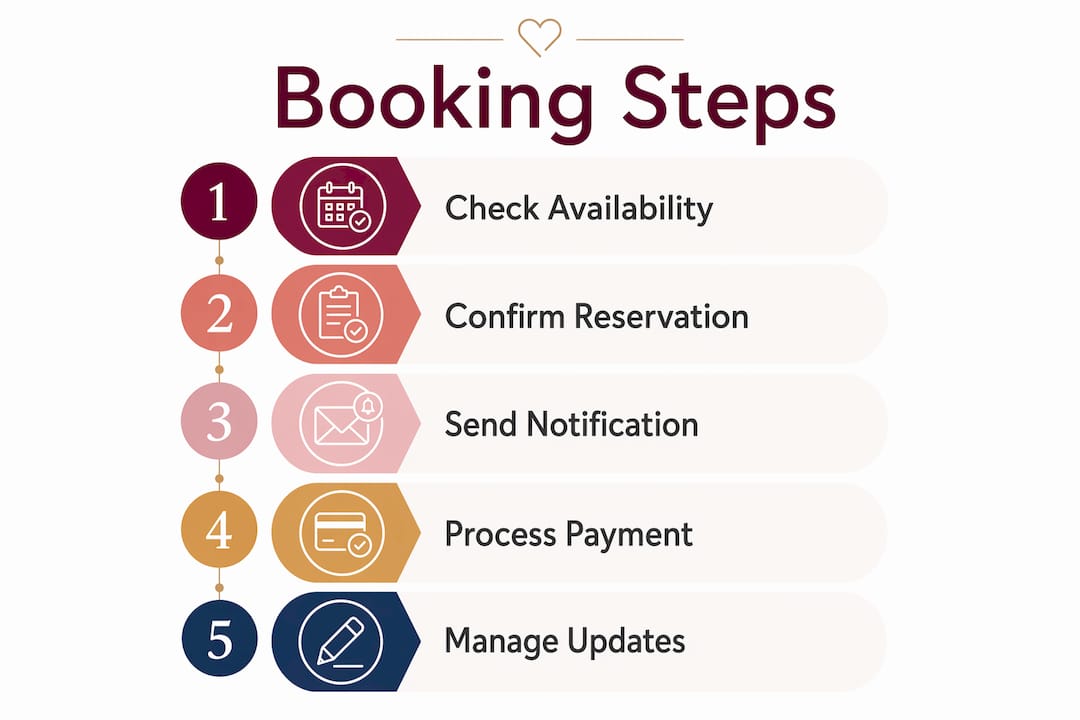
Follow this workflow for every booking:
- Receive the enquiry. Log the request immediately with the date, contact details, and event type. Never rely on memory or inbox search.
- Check real-time availability. Confirm the requested date is open before responding. A verbal hold without a system check causes double bookings.
- Verify the six data points. Cross-check guest names for correct spelling, confirm the exact date and time, clarify what is included in the package, and review the cancellation policy with the client.
- Send a written quote. Include all costs, inclusions, and payment terms in a single document. Verbal agreements are not enforceable.
- Collect a deposit. Secure the booking with a deposit before marking it as confirmed. An undeposited booking is a tentative booking.
- Issue a written confirmation. Send a confirmation email with all agreed details. This becomes the reference document if anything is disputed later.
- Record the booking in your system. Enter all details into the admin dashboard. Use consistent naming conventions so records are easy to search.
- Handle final payment. Collect the balance according to the agreed schedule and issue a receipt immediately.
Bulk editing availability and pricing across date ranges reduces manual entry errors and keeps policies consistent. Applying a rate change to all Saturdays in a month takes seconds in bulk edit mode versus hours of individual updates.
Maintaining a booking dossier with screenshots, signed terms, and payment confirmations is the most underused protection in venue management. Digital confirmation emails alone are often insufficient evidence in a dispute. A dossier with timestamped records closes that gap.
Pro Tip: Cross-check your booking system calendar against any external calendars (Google Calendar, iCal) weekly. Syncing booking tools with external calendars prevents the double booking frustration that damages client relationships.
What are the common challenges in booking management and how do you fix them?
Double bookings are the most damaging error in venue operations. They occur when two reservations are confirmed for the same date and space without a real-time availability check. The fix is straightforward: never confirm a booking verbally or via email before checking the live system. Venues that rely on spreadsheets or paper diaries are most vulnerable. Migrating to a digital booking system with automatic conflict detection removes this risk almost entirely.
Cancellations and modifications require a proactive approach rather than a reactive one. A clear cancellation policy, communicated at the time of booking and included in the written confirmation, sets expectations before a dispute arises. When a client requests a modification, update the system immediately and resend a revised confirmation. Leaving modifications as verbal agreements creates confusion and potential liability.
Payment disputes and no-shows share a common cause: unclear terms at the point of booking. Venues that collect a non-refundable deposit reduce no-shows because clients have a financial stake in attending. When a payment dispute does arise, the booking dossier becomes the resolution tool. Timestamped receipts, signed terms, and written confirmations resolve most disputes without escalation.
Guest communication is the most frequently underestimated part of effective appointment management. Clients who receive timely, clear updates are far less likely to raise concerns or cancel. A simple automated sequence covering confirmation, reminder, and post-event follow-up covers the majority of communication needs. For complex events, a personal call or message 48 hours before the event adds a layer of reassurance that no automated system can fully replace.
How do you optimise your booking management for efficiency and revenue?
Booking dashboards are revenue management tools, not just storage systems. Venue operators use past and pending booking data to identify peak demand periods and adjust pricing and availability rules before a season begins. A venue that raises Saturday rates in spring based on the previous year’s data earns more without adding capacity.
List views in booking calendars offer more control than monthly overview views when managing complex restrictions. A monthly view shows you what is booked. A list view shows you minimum stay requirements, pricing tiers, and restriction rules in a format you can edit directly. Operators managing multiple event types or seasonal pricing should default to list view for day-to-day management.
Key ways to get more from your booking system:
- Integrate with your broader toolkit. Connect your booking system to Google Calendar, your CRM, or your accounting software. Avoiding manual spreadsheet fatigue through automatic syncing keeps data consistent across every platform you use.
- Prioritise credit card payments. Credit card payments offer stronger chargeback protections compared to bank transfers or peer-to-peer payment apps. This protects both the venue and the client in a dispute.
- Review your data monthly. Cancellation rates, peak booking days, and average lead times all tell you something useful. Act on what the data shows rather than relying on intuition.
- Use dual interfaces strategically. Browser dashboards suit strategic planning and reporting. Mobile apps suit real-time communication with clients and staff on event days.
| Optimisation area | Practical action |
|---|---|
| Demand analysis | Review booking volume by month to set seasonal pricing |
| Calendar management | Use list view for complex restrictions; monthly view for overview |
| System integration | Sync with Google Calendar and accounting tools to reduce manual entry |
| Payment policy | Collect deposits by credit card for chargeback protection |
| Continuous improvement | Review cancellation and no-show rates monthly and adjust policies |
The step-by-step venue booking process becomes far less time-consuming once these optimisations are in place. The goal is a system that handles routine tasks automatically so your attention goes to the decisions that actually require human judgement.
Key takeaways
Effective booking management combines the right system components, a consistent verification workflow, and data-driven decisions to prevent errors and protect revenue.
| Point | Details |
|---|---|
| Four core components | Every booking system needs an interface, dashboard, notifications, and payment processing. |
| Verify six data points | Check names, dates, inclusions, policies, costs, and confirmation status before confirming. |
| Keep a booking dossier | Store screenshots, signed terms, and payment receipts to resolve disputes quickly. |
| Use list view for complex bookings | List view gives granular control over restrictions and pricing that monthly view cannot match. |
| Prioritise credit card payments | Credit cards offer chargeback protection that bank transfers and peer-to-peer apps do not. |
What I have learned from years of watching bookings go wrong
The most common mistake I see is treating a booking system as a filing cabinet rather than a management tool. Operators set it up, take bookings, and never look at the data again. The dashboard is telling you something every single week about demand patterns, cancellation triggers, and pricing gaps. Ignoring it is leaving money and insight on the table.
The second thing I have noticed is that human verification still matters even with the best software. Automated systems catch most conflicts, but a weekly manual review of the calendar catches the edge cases that slip through. A 15-minute check on monday morning has saved more than a few venues from an embarrassing double booking on a Saturday afternoon.
My honest advice is this: start with the workflow before you choose the software. Know exactly what your booking process looks like from first enquiry to final payment. Then find a system that fits that process. Buying software and hoping it shapes your process is backwards, and it is why so many venues end up with tools they barely use.
The venues that manage bookings well are not necessarily using the most expensive platforms. They are the ones with clear policies, consistent data entry habits, and a team that actually reads the reports. That combination beats any feature list.
— Steven
Finding the right Adelaide venue to put these practices into action
Good booking management starts with choosing a venue that supports a clear, organised process from the outset. Adelaideweddingvenues lists a wide range of venues across Adelaide and South Australia, from heritage spaces to beachside locations, each with detailed information to support your planning decisions.
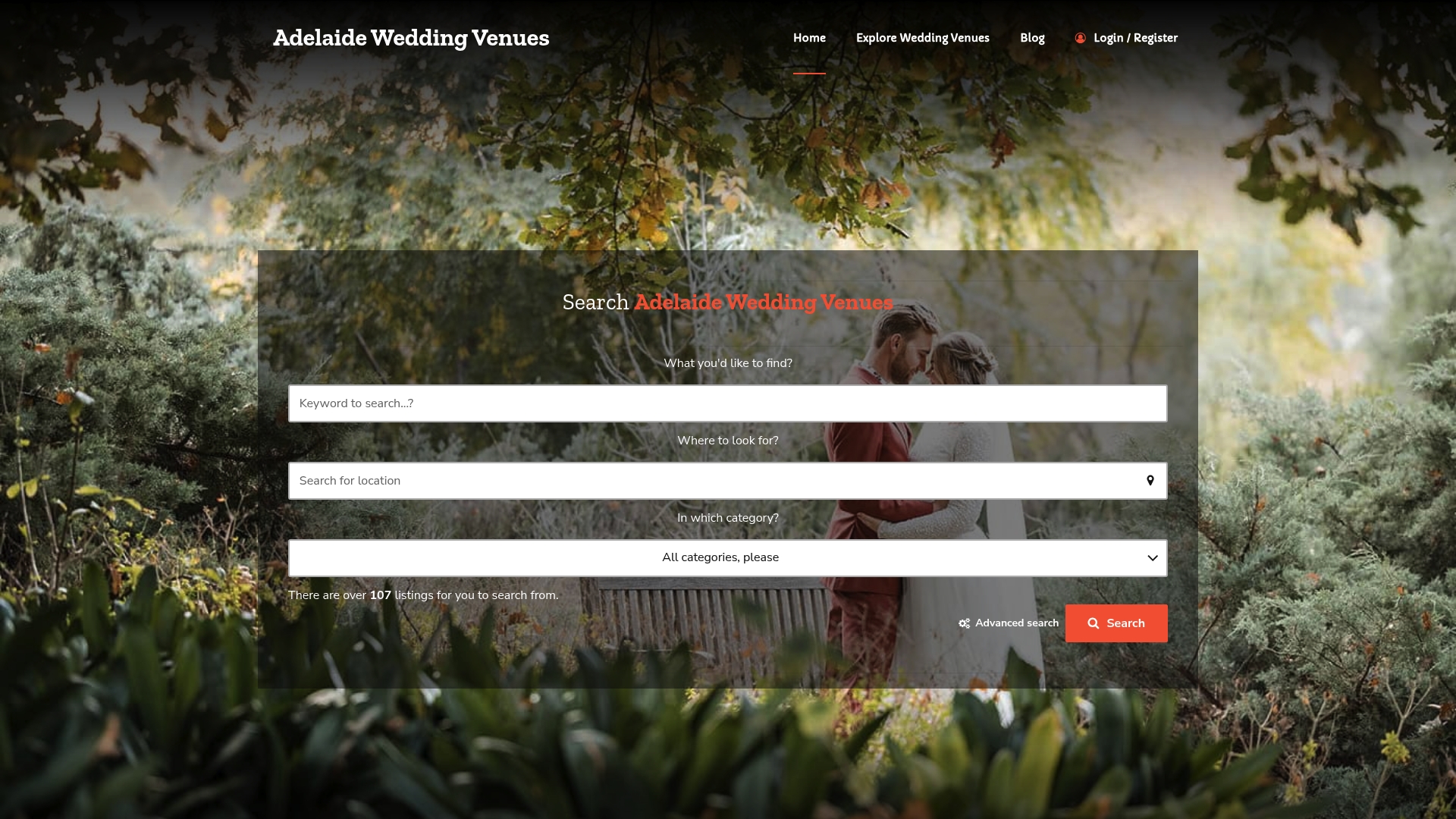
Whether you are an event planner coordinating a corporate function or a couple planning your wedding day, having accurate venue details upfront makes every step of the booking process easier. Browse Adelaide’s best wedding venues to find spaces that match your guest numbers, style, and budget. For couples weighing up different venue styles, the guide to choosing your ideal wedding venue on Adelaideweddingvenues walks through every key consideration in plain language.
FAQ
What is booking management?
Booking management is the process of organising, confirming, and tracking reservations to prevent errors and disputes. It covers everything from the initial enquiry through to final payment and post-event follow-up.
What are the four core components of a booking system?
Effective booking systems require a customer-facing interface, an admin dashboard, automated notifications, and integrated payment processing. Each component handles a distinct part of the reservations workflow.
How do you prevent double bookings?
Syncing your booking system with external calendars and always checking live availability before confirming a reservation prevents double bookings. Never confirm a date verbally without a system check first.
Why is a booking dossier important?
A booking dossier containing screenshots, signed terms, and payment confirmations is the primary tool for resolving disputes. Digital confirmation emails alone are often insufficient evidence when a venue changes terms or a payment is contested.
What payment method offers the best protection for venue bookings?
Credit card payments provide stronger chargeback protections than bank transfers or peer-to-peer payment apps, making them the preferred option for securing venue reservations.
