
TL;DR:
- Using filters effectively streamlines venue searches by quickly excluding unsuitable options based on capacity, location, and budget. Proper application involves starting with non-negotiables, reviewing results before adding preferences, to avoid zero-result trap and uncover hidden gems. Structured filtering saves time, reveals diverse venues, and helps narrow choices to the most suitable event spaces.
Searching for a wedding or event venue without clear criteria is exhausting. You open a directory, scroll past dozens of options that are too small, too far away, or completely outside your budget, and suddenly what should be an exciting process starts to feel like a chore. Understanding the role of filters in venue search changes that experience entirely. Filters act as your first line of defence, cutting through hundreds of listings to show you only the venues that genuinely match what you need. Used well, they save hours of research and protect you from falling for a venue that looks beautiful but simply will not work.
Key takeaways
| Point | Details |
|---|---|
| Filters narrow the search fast | Applying capacity, location, and budget filters eliminates unsuitable venues before you read a single listing. |
| Start with non-negotiables | Identify your hard requirements first, then layer in preferences to avoid filtering out too many results. |
| Specialist platforms filter better | Dedicated venue directories offer more precise filter categories than general search engines. |
| Filter misuse causes problems | Too many strict filters can return zero results. A staged approach gives more useful outcomes. |
| Granular filters uncover hidden gems | Niche filters like catering policy and AV capability help you discover venues others overlook. |
The role of filters in venue search
When you search for a venue online, you are not just browsing. You are trying to solve a very specific problem: finding a space that fits your guest list, your budget, your style, and a hundred other practical needs. Filters are the tools that make that possible. They act as hard constraints on capacity and budget, meaning the search engine only shows you results that meet your minimum requirements before anything else is considered.
Think of it this way. Without filters, a directory shows every venue it knows about. With filters applied, it shows only the venues that could actually host your event. That shift alone removes the frustration of clicking into a gorgeous vineyard only to learn it holds a maximum of 40 guests when you need 150.
The most useful filter categories in venue search include:
- Capacity (minimum and maximum guest numbers)
- Venue type (barn, winery, garden, hotel, beachside)
- Location or suburb
- Price range or budget per head
- Catering policy (in-house, approved vendors, or BYO)
- Ceremony setting (indoor, outdoor, or both)
- Accessibility features
- Date availability
Filters identified as essential by industry experts include all of the above, and using them together means your search results reflect your actual event needs rather than just what is popular or heavily marketed.
Pro Tip: Apply your absolute must-haves as filters before anything else. Treat these like rules, not suggestions. Everything else can be a preference you refine later.
Critical filters and what they actually mean
Knowing which filters exist is one thing. Knowing how to interpret them correctly is where most people gain a real advantage.
Capacity filters
Capacity filters sound straightforward, but there is a common misunderstanding. Most venues list a maximum standing capacity, which is always higher than their seated dinner capacity. If your wedding is a formal sit-down dinner for 100 guests, a venue advertising 150 capacity may only seat 80 comfortably once you account for tables, a dance floor, and a catering station. Always check whether the listed capacity matches your event format.

Venue type filters
Venue type filters help you align the aesthetic with your vision early. Filtering for a “winery” returns a very different set of results than filtering for a “hotel ballroom,” even if both technically hold 200 guests. Aligning venue type with your wedding vision before you start comparing prices saves considerable time.
Catering policy filters
This filter carries more weight than most couples realise. An “in-house catering only” policy means you have no choice of caterer, which directly affects your menu options and per-head cost. A “BYO catering” or “approved vendor list” policy gives you far more flexibility. Custom tags like BYO catering quickly exclude venues that do not fit your catering plan, saving you from lengthy enquiry calls that go nowhere.
Accessibility filters
Accessibility is a filter that couples often skip unless they have a guest with specific needs. That is a mistake. Venue accessibility considerations affect everyone from elderly grandparents to guests with prams. Filtering for ground floor access or lift availability early means you avoid the awkward realisation after a venue visit that your favourite space cannot comfortably accommodate all your guests.
Pro Tip: Run two parallel searches: one with your full list of filters, and one with just your top three. Compare results to see what the extra filters are cutting out. You may find your strict style preference is removing otherwise perfect venues.
Common pitfalls in filter use
Filters are genuinely useful, but misusing them can make your search harder, not easier. The most common problem is what search experts call the “filter trap.” This happens when you apply so many strict filters at once that the search returns zero results or only one or two options. You have not found the best venue. You have just eliminated most of the field prematurely.
Here is a practical approach to avoid that problem:
- Start with two or three absolute requirements. Date availability, location, and guest capacity are usually the best starting points. These are genuine dealbreakers that cannot be compromised.
- Review the results before adding more filters. See what the shortlist looks like. If you have 20 or more options, add your next filter layer.
- Add preferences one at a time. Outdoor ceremony setting, a particular venue type, or catering policy can come in at this stage.
- Reassess if results drop too low. If your list falls below five venues after adding a preference filter, consider whether that preference is truly non-negotiable or whether you have room to be flexible.
- Use filters to exclude dealbreakers, not just find perfect matches. Successful event organisers focus on excluding non-negotiables rather than searching for an ideal. Removing venues with no outdoor option is more reliable than searching for “perfect outdoor setting.”
Another common mistake is relying on generic search portals that only offer basic filters like capacity and price. These platforms lack the nuanced controls you need for a wedding or specialised event. Specialist directories offer more precise venue search filtering options, including catering policy, ceremony type, and accessibility features that general platforms simply do not provide.
Pro Tip: If a venue appeals to you but fails one preference filter, do not discard it immediately. Contact the venue directly. Some listed details are outdated, and many venues have more flexibility than their online profile suggests.
Using filters to find hidden gems
One of the most underappreciated benefits of good filter use is discovering venues that are not on everyone’s radar. Popular venues appear at the top of searches because they are well-marketed, not necessarily because they are the best fit for your event. Niche venues with great facilities often sit unnoticed simply because fewer people know to search for them.
Granular filters and structured venue metadata are the key. Research shows that venues using detailed metadata are 30 to 50 per cent more likely to be found through filtered searches. That means venues that have invested in properly tagging their listings with attributes like “on-site AV,” “wheelchair access,” or “approved external caterers” show up when those specific filters are applied. Less marketed but well-tagged venues can appear right alongside the popular choices.
The table below illustrates how combining specific filters changes the type of venue results you receive:
| Filter combination | Type of result | Best suited for |
|---|---|---|
| Garden setting + BYO catering + 80 guests | Small boutique gardens and private estates | Intimate weddings with a specific caterer |
| Hotel ballroom + in-house catering + 200 guests | Large hotel reception spaces | Formal weddings with full service packages |
| Winery + outdoor ceremony + 120 guests | Vineyard and cellar door venues | Rustic weddings with scenic backdrops |
| Accessible access + indoor + 60 guests | Function centres with lift access | Events with guests requiring mobility support |
Using this kind of intentional filter combination is what separates a smart search from a frustrating one. For events with very specific requirements, a niche destination venue like Porto Rafael in Sardinia demonstrates how an exclusive, well-described location can surface through highly targeted event filtering. The principle applies equally to local searches in Adelaide and across South Australia.
Multi-criteria filtering on operational factors such as vendor policies, room configurations, and AV requirements reduces the manual vetting time significantly. You spend less time on the phone and more time visiting venues that are genuinely viable.
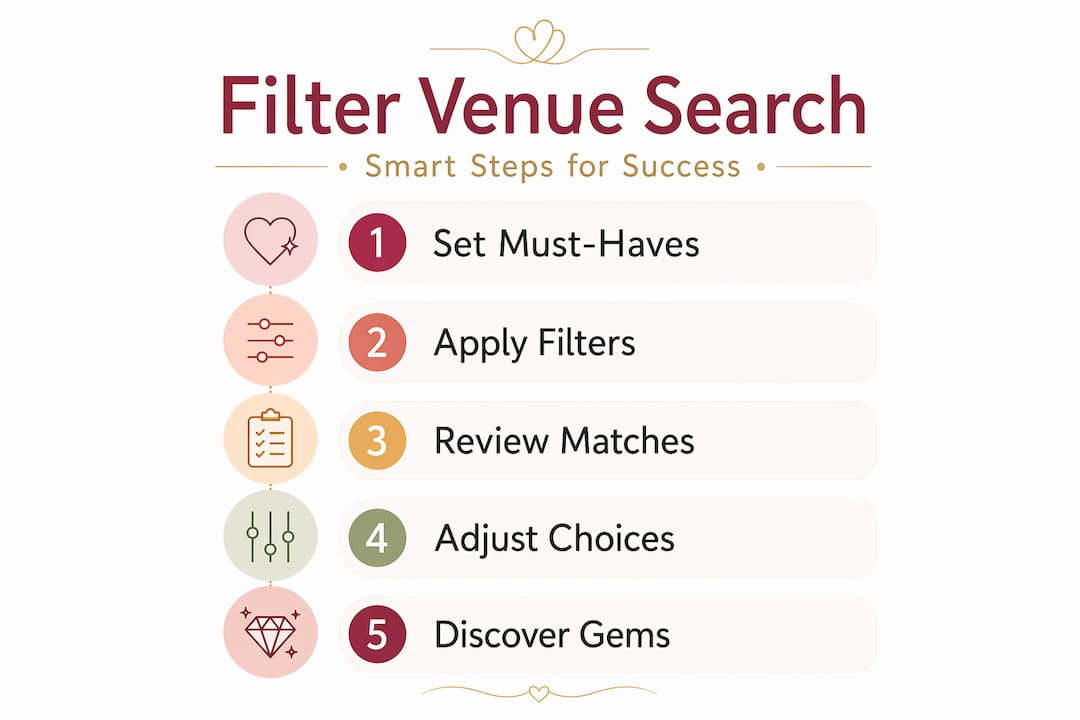
How to apply filters step by step
Knowing the theory is useful, but the real value comes from applying it in a structured way during your actual search. Here is a repeatable process you can follow:
- List your non-negotiables before you open any directory. Write down the date range, location preference, approximate guest count, and any absolute requirements like outdoor ceremony space or wheelchair access.
- Open a specialist venue directory and apply your primary filters. Start with location, date, and capacity. These three alone will narrow a large catalogue to a much more manageable list.
- Review the filtered results before adding more. Look for patterns. If most of the results share a venue type you did not expect to like, keep an open mind.
- Add secondary filters based on your preferences. Venue type, catering policy, and ceremony setting can be layered in at this stage.
- Adjust if the list is too short or too long. If you have fewer than five results, loosen one preference filter. If you have more than twenty, add another filter to tighten the list.
- Use your shortlist for personal visits. Filters get you to the right doors. A site visit confirms the details that no listing fully captures, like natural light, noise levels, and the feel of the space.
Structured filters align results far more closely with your requirements, which is why search time drops considerably when filters are used properly. The goal is a shortlist of five to eight venues that are all genuinely viable, not a long list of maybes.
After your visits, the questions you ask venue managers become much more focused too. Knowing exactly what to ask your wedding venue after filtering means your conversations are efficient and productive.
What I have learned about filtering venue searches
In my experience, couples often arrive at the filter screen with a long wish list and apply every preference as a hard filter from the start. The result is either zero venues or a single option that somehow ticks every box but feels underwhelming in person. The search has been too narrow to show them what is actually possible.
What I have found works far better is treating filters as a conversation with the search, not a checklist you are demanding be met in full. Start wide with your real dealbreakers, see what comes back, and then refine. You will often discover venue types you had not seriously considered, and some of those discoveries turn out to be exactly right.
The other thing I would say is this: filters are only as good as the data behind them. A venue that has not properly tagged its listing will not appear in your filtered results, even if it is perfect for your event. That is why I always recommend using a specialist directory over a general search engine. The filtering is sharper, the data is better maintained, and the results are far more trustworthy.
Filters empower you to make better decisions faster. But they work best when you bring a clear sense of your priorities to the process, and remain open to adjusting as you learn more about what is available.
— Steven
Find your perfect Adelaide venue with confidence
Ready to put these filter strategies to work? Adelaideweddingvenues has built its directory specifically for couples who want to search smarter, not longer. The platform’s filter tools cover venue type, capacity, catering policy, ceremony setting, and accessibility, giving you the precise search criteria that generic portals simply cannot match.
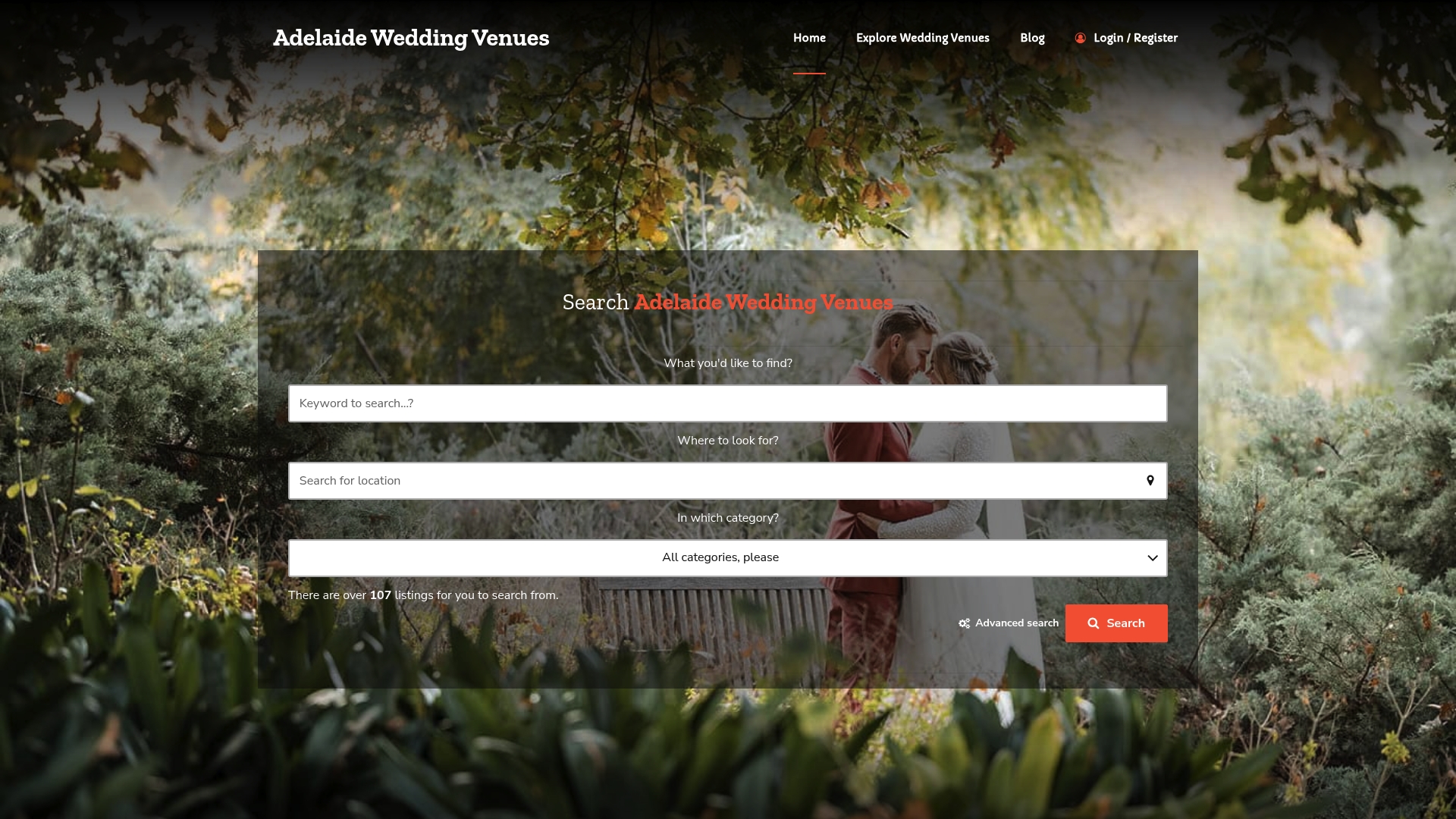
Whether you are drawn to a rustic barn, a beachside ceremony space, or a garden retreat, the venue selection guide on Adelaideweddingvenues walks you through matching venue style to your vision while applying filters that matter. Couples using the directory consistently find their shortlist faster and arrive at venue visits better prepared. Explore the listings today and let the right filters do the hard work for you.
FAQ
What does a filter do in a venue search?
A filter limits search results to venues that meet specific criteria such as capacity, location, catering policy, or ceremony type. This prevents unsuitable venues from appearing and makes search results relevant to your actual event needs.
What are the most important filters for wedding venue searches?
The most critical filters are guest capacity, venue type, catering policy, ceremony setting, and accessibility. Applying these filters early in your search removes venues that cannot meet your core requirements and saves considerable time.
Why am I getting no results when I use filters?
Too many strict filters applied at once can reduce results to zero. Try removing one or two preference-based filters and keep only your absolute requirements active, then gradually add preferences back until you find a useful balance.
Are specialist venue directories better than general search engines for filtering?
Yes. Generic portals often lack the nuanced filter categories that wedding and event searches require, such as catering policy or accessibility details. Specialist directories provide more targeted filter options that match the complexity of real event planning needs.
How many filters should I apply at once?
Start with two or three hard requirements, review the results, then add preferences gradually. Research recommends applying two to three absolute constraints first to avoid narrowing the field too aggressively before you have seen what is available.
